top reads for UX-ers
Updated: May 17
Classics, used textbooks and newer releases on user-centered design, design methodologies, creativity and behavioral science. Here's a list of my top picks.






Mastery
By Robert Greene
Temple Grandin, Martha Graham, Henry Ford, Buckminster Fuller.
Profiles in pursuing, acquiring and achieving creative excellence.
Product Management for UX People: From Designing to Thriving in a Product World
By Cristian Crumlish
An ideal cross-trainer for understanding the road mapping process, launch planning and cross team development. Christian Crumlish demystifies product management for UX practitioners who want to understand, partner with, and even consider adding product managment to their skill set.
ENGAGED: Designing for Behavioral Change by Amy Bucher
Buy at Thriftbooks
Wonderfully practical, this book outlines the impact of the behaviors on design and some excellent tips you apply to benefit your design process. It's both high level overview of the impact of behavior science and also a step by step guide for apply behavioral science to market research and UX design, with real world examples. A must-read for experience design practitioners, digital media creators and marketers.
The Design Thinking Playbook: Mindful Digital Transformation of Teams, Products, Services, Businesses and Ecosystems 1st Edition / Kindle
by Michael Lewrick (Author), Patrick Link (Author) Buy on Amazon
Practical frameworks, real-world solutions, and radical innovation wrapped in a whole new outlook give you the power to mindfully lead to new heights. From systems and operations to people, projects, culture, digitalization, and beyond, this invaluable mind shift paves the way for organizations—and individuals—to do great things.
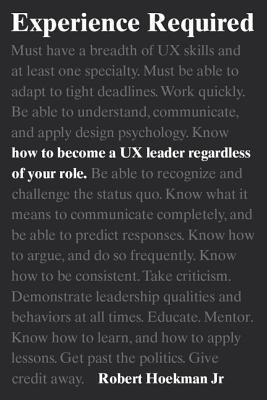
Experience Required: How to Become a UX Leader
Robert Hoekman Jr. Buy on Amazon
For all the resources on great design, there is almost nothing on how to be a great design professional. For all the schools and classes and workshops on what constitutes a good user experience, there is not one bit of formalized education on how to earn the respect of your team and get your recommendations out the door.
The Design Thinking Toolbox
by Michael Lewrick (Author), Patrick Link (Author), Larry Leifer (Author) Kindle Edition Buy on Amazon
If you an educator as well as a working creative professional you HAVE to add this book to your library. In a world were we desperately need our students and junior designers to be problem solvers, Michael Cohen offers a master class on infusing design thinking and creativity into your classroom and teamwork. I couldn't recommend this book more.
Design Thinking for Business Growth: How to Design and Scale Business Models and Business Ecosystems (Design Thinking Series) 1st Edition, Kindle Edition
by Michael Lewrick (Author) Format: Kindle Edition
A fresh approach to design thinking for the development of business ecosystems. Contains critical design methods and tools you’ll need to make your own ecosystem a success including case studies, strategic thinking, developing the midset for growth. Some excellent exercises in ideation, innovative thinking, and product management.
Coaching with Design Thinking: The creative process for innovators, and champions of transformation and change
Kindle Edition
by Jon Elejabeitia (Author), Sylvia Marín (Translator)
A practical framework for using design thinking (DT) along with its multiple tools and understanding its conceptual importance and its power to achieve surprising results. Each one of the five stages of DT arrange the coaching process for collaborating with the client in the achievement of their objectives. If you already have some type of coaching qualification and you have been practicing for some time, you will be familiar with the previous steps and you will be able skip directly to savoring the material.
Laws of UX: Using Psychology to Design Better Products & Services
by Jon Yablonski (Author)
To-read list / free listen on Audible
A practical guide for reconciling designs with business goals and justifying our design decisions based on user needs.
Recommend by UX guru Zander Whitehurst, who called it "a bangin' read for anyone struggling to communicate their design to non-designers."
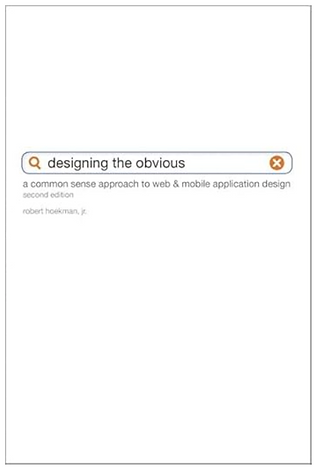
Designing the Obvious: A Common Sense Approach to Design
By Robert Hoekman Jr.
Buy on Amazon
A rare treasure I carried around for half my career, this second edition of Designing the Obvious explains why and how to design applications that are so easy to use that people attribute their ability to use them effectively to pure common sense.. You'll make design decisions based not on whim, but on strategy, and build only what's absolutely necessary; reduce and refine task flows to make the complex clear, and design not for users, but for their situations. Most of all you'll design persuasively by helping users make decisions that align with their needs.
POP!: Create the Perfect Pitch, Title, and Tagline for Anything Kindle Edition
I received a signed copy at San Horn's workshop on how to communicate an idea so that it catches fire in people's imaginations, creates excitement, and fuels change and innovation. Popular author, consultant, and workshop leader Sam Horn identifies what makes an idea, message, or product break out, and presents a simple and proven process. POP! (Purposeful, Original, Pithy) is a must-read to create one-of-a-kind ideas, products, and messages that pop through the noise, off the shelf, and into consumers imaginations.
Interviewing Users: How to Uncover Compelling Insights 2nd Edition
by Steve Portigal (Author), Jamika D. Burge PhD (Foreword)
Buy at Thriftbooks
I re-read this title every year. Both a tactical and strategic guide to gathering insights from which to create value-drven products and design intelligently for the customer funnel.
Practical Empathy for Collaboration and Creativity in Your Work
by Indi Young
Buy at Thriftbooks Empathy in process centric because it focuses on the people who will use
our products. This book provides guidance for gathering and comparing
thought patterns and perspectives toward making better design, strategy and collaborative decisions.
Time Management for the Creative Person
Lee Silber
Buy at Thriftbooks
Originality doesn’t follow a time clock, even when you have to. This book offers time saving solutions such as:
* Saying no when your plate is just too full
* Knowing when a good job, not a great one, is good enough
* Making “to do” lists that include fun stuff, too—that way you won’t feel overwhelmed by work
* Time-saving techniques around for working from home
* The keys to clutter control that will keep your work space and your living space neat
Validating Product Ideas Through Lean User Research
by Sharon Tomer
Buy at Thriftbooks
Answers to your most burning questions about your customers. With step-by-step guidance, Validating Product Ideas shows you how to tackle the research to build the best possible product experiences.
16. The User's Journey: Storymapping Products That People Love
by Donna Lichaw
Buy at Thriftbooks
In my opinion the best book out there on designing user journeys through stories.. Shows you how, when, and why to use narrative structure, technique, and principles to ideate, craft, and test a cohesive vision for an engaging outcome. See how a “story first” approach can transform your product, feature, landing page, flow, campaign, content, or product strategy.
Prototyping: A Practical Guide
By Todd Zaki Warfel
Buy on Amazon How to communicate your thinking around the customer experience and demonstrate the functional use of your designs.! Older publication, still great for it's presentation ideas.


https://soicauxsmb.com/ hôm trước thấy bạn bè nhắc nhiều quá nên mình cũng bấm vào xem thử cho biết. Mình không đọc sâu đâu, chủ yếu lướt nhanh xem họ làm giao diện kiểu gì. Ấn tượng đầu là trang nhìn khá sáng sủa, khoảng trắng vừa đủ nên kéo xuống không bị rối mắt. Mình để ý mấy phần dữ liệu họ trình bày theo dạng bảng/cột nên nhìn cái là hiểu đại khái ngay, đỡ phải soi từng dòng. Thanh menu cũng để chỗ dễ thấy, bấm qua lại vài mục cơ bản khá mượt, không phải tìm vòng vòng. Nói chung kiểu sắp xếp theo khối rõ ràng, các bảng số liệu hiện ngay trên trang nhìn gọn…
https://xosoplus.mobi/soi-cau-du-doan-xsmb-chinh-xac-100-ngay-mai.html mình vào nghía thử vì thấy bạn bè hay share, kiểu tò mò xem có dễ xem không thôi. Vừa mở ra là thấy có mục lục ngay đầu bài, nên mình bấm phát nhảy đúng đoạn cần đọc, đỡ phải kéo mỏi tay. Cái mình thích là phần “kết quả XSMB hôm qua” để khá nổi, nhìn phát nhận ra liền, bên dưới còn có bảng loto chia theo cột nên đối chiếu nhanh hơn mình tưởng. Nói chung trang không rối, chữ dễ nhìn, cuộn xuống là các khối nội dung tách rõ ràng, đặc biệt cái bảng loto dạng cột hiển thị gọn và rõ.
ball88.blog mình mới ghé qua lướt thử cho biết thôi, kiểu thấy mọi người nhắc nên tò mò xem trang họ làm ra sao. Mình không đăng ký hay bấm chơi gì, chỉ xem cách họ trình bày nội dung. Nhìn chung giao diện khá hiện đại, nền và chữ dễ nhìn nên đọc không bị mỏi mắt. Có đoạn giới thiệu nói là tích hợp hơn 20.000 trò nên mình tưởng sẽ nhồi nhét tùm lum, mà kéo xuống lại thấy họ chia khối thông tin khá gọn, không bị rối. Mấy tiêu đề đặt rõ ràng, nhìn phát biết đang ở phần nào, chuyển qua lại cũng không phải mò lâu. Nói chung cảm giác họ sắp xếp…
ball88.dev hôm bữa mình lướt thấy nhắc nên ghé thử cho biết, ai ngờ vào cái thấy giao diện khá “dễ thở”. Bố cục chia khối rõ ràng, chữ không nhồi nhét nên nhìn một lúc là hiểu đang ở mục nào, không phải mò mẫm. Mình có nghía qua phần cược trực tiếp, kiểu in-play hiển thị theo dạng bảng kèo khá trực quan, cập nhật diễn biến nhìn phát nắm được, đỡ phải bấm qua lại nhiều tab. Mấy mục phụ cũng đặt gọn trong menu nên chuyển qua lại nhanh, nhất là lúc đang xem mà muốn quay lại phần trước. Nói chung cảm giác họ làm UI thân thiện thật, nhìn sạch sẽ và các khối…
hitclub.toys mình thấy bạn bè nhắc hoài nên cũng ghé thử cho biết, kiểu vào lướt nhanh chứ không đọc sâu. Cảm giác đầu tiên là trang nhìn khá gọn và “dễ chịu”, mấy mục thông tin được chia rõ nên kéo xuống không bị rối mắt. Mình thích kiểu họ đặt các khối nội dung ngay ngắn, nhìn qua là biết đang nói về gì, không bị nhồi chữ tùm lum. Thử mở trên điện thoại nữa thì thấy ổn áp, menu với nút bấm vẫn vừa tay, không bị lệch hay phải zoom qua zoom lại. Nói chung chỉ lướt vài phút mà vẫn nắm được ý chính nhờ giao diện thân thiện và bố cục chia khu…